


If a job notice asks for biodata, check whether the employer has attached a form or linked to one in the application portal. If there’s a form, fill it in and follow the instructions in the notice.
If the employer leaves the layout up to you, use the blank biodata below. Start with the post you’re applying for, your contact details, and your qualifications. Add a photo, date of birth, declaration, or signature if the employer asks for it.
Biodata Format for Job in Word and PDF
Use this one-page form if the employer asks for biodata and leaves the layout up to you. Download the Word file to type in your details or print the blank PDF to fill it in by hand.
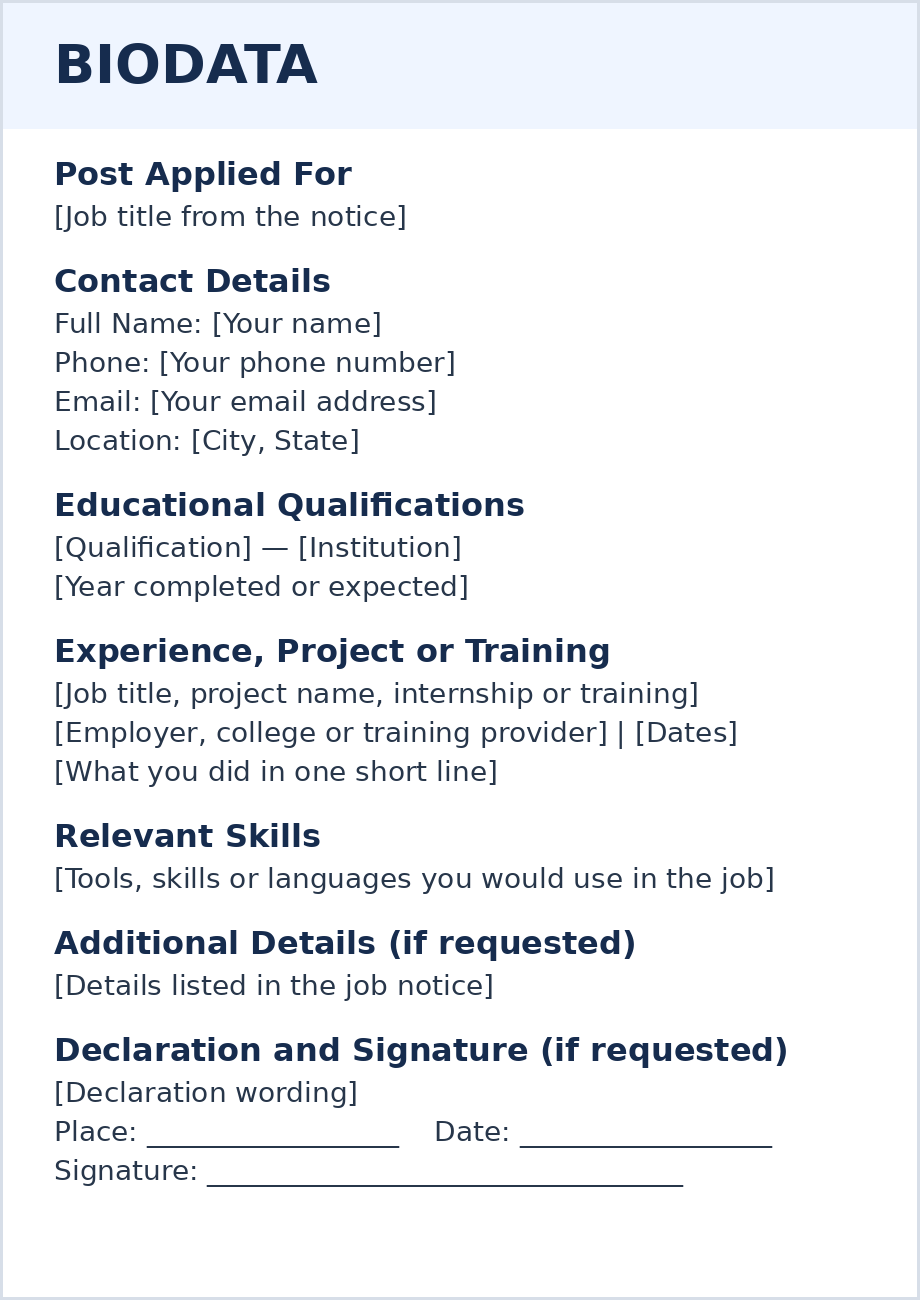
Blank Job Biodata Form
BIODATA
Post Applied For
[Job title from the notice]
Contact Details
Full Name: [Your name]
Phone: [Your phone number]
Email: [Your email address]
Location: [City, State]
Educational Qualifications
[Qualification] — [Institution], [Year completed or expected]
Experience, Project or Training
[Job title, project name, internship or training programme]
[Employer, college or training provider] | [Dates]
[What you did in one short line]
Relevant Skills
[Tools, skills or languages you would use in the job]
Additional Details (if requested)
[Details listed in the job notice]
Declaration and Signature (if requested)
[Declaration wording]
Place: ____________________ Date: ____________________
Signature: _____________________________________________
Replace the text in brackets with your details. Send the completed biodata in the file format the employer asks for.
Which Biodata Format Should You Use?
Look at the How to Apply section of the job notice. The wording tells you which document to send.
What the job notice says
“Submit biodata in the prescribed format.”
Use the employer’s own form. Look for a link in the notice or an attachment at the end of it. Keep the form’s fields in the order given.
“Send your biodata” with no form provided.
Use the blank job biodata format above. Add any details the notice specifically asks for, such as a vacancy reference number or a photograph.
“Upload your resume” or “Submit your CV.”
Send the document named in the notice. If you’re unsure what to prepare, read our guide to the difference between a resume and a CV.
Where to Find the Biodata Form for a Government Job
Start with the official vacancy notice. Check How to Apply and look for an attachment labeled Application Form, Annexure, or Prescribed Proforma.
For example, if the notice says “Submit your biodata in Annexure II,” find the pages marked Annexure II and fill in that form. If the notice directs you to an online application, follow the instructions on the official portal.
Before You Send Your Biodata
- File type: Check whether the employer wants a PDF, a Word file, or a printed copy.
- Attachments: Check which documents to include and whether the employer wants them in one file or uploaded separately.
- Filename: Follow any naming instructions. If the employer gives none, use a clear name such as
Riya-Nair-Biodata.pdf. - Submission: Check the deadline and send your application through the email address, portal, or postal address named in the notice.
How to Fill In a Job Biodata
Keep the job notice open while you fill in your biodata. Use the job title from the notice and check your qualification names and dates against your records.
What to write in each field
1. Post Applied For
Copy the job title as it appears in the notice. If the employer asks for a vacancy reference number, include it too.
Example: Junior Accounts Assistant | Ref. ACC-04
2. Name and Contact Details
Enter your full name, a phone number where you can be reached, your email address, and your city and state.
Example: Riya Nair | [Phone number] | [Email address] | Kochi, Kerala
3. Educational Qualifications
Enter the qualification, institution, and year of completion. If you’re still studying, give the expected completion year. List Class 10 and 12 results separately if the form asks for them. Use the marks or CGPA shown on your records, and follow any conversion instructions in the notice.
Example: B.Com | Cochin College of Commerce | 2026 | 8.2/10 CGPA
4. Experience, Project or Training
For paid work, enter your role, employer, and employment dates. If you’re using the blank format and have no paid experience, label the entry Internship, Academic Project, or Training, as appropriate. If the employer’s form asks specifically for paid employment, enter “No paid work experience” if the form allows it, and list your project or training in the relevant field.
Example: Academic Project — Retail Expense Review | January–March 2026 | Checked transaction records and prepared a monthly expense summary.
5. Relevant Skills
List tools or skills you can use in the job. If the form has separate boxes for software, languages, or certifications, put each detail in the matching box.
Example: Microsoft Excel, basic TallyPrime, and bank reconciliation
6. Additional Details
Fill in the extra fields the notice asks for. For example, if it asks for a preferred posting location, enter your choice in that field. If a field doesn’t apply to you, follow the form’s instructions. Use “Not applicable” if the form allows it.
7. Declaration and Signature
If the employer provides a declaration, keep its wording and complete the date, place, or signature fields it asks for. If it asks for a declaration without supplying the wording, use the sample biodata declaration below.
If another application also asks for a resume, our guide on how to list your education on a resume shows how to present degrees and qualifications in that document.
What Personal Details Should You Include?
If you’re making your own job biodata, start with your full name, phone number, email address, and location. Check the job notice before adding a photo, date of birth, or full address.
What to put in your job biodata
- Include these basics
- Full name, phone number, email address, and your city and state. For example, Kochi, Kerala is enough when the employer only asks for your location.
- Add these if the employer asks
- A photograph, date of birth, full postal address, nationality, or other personal details listed in the form. If the form asks for both a permanent address and a correspondence address, use the correspondence field for the address where you can receive mail.
- Keep these out of a general biodata
- Aadhaar or PAN numbers, scans of identity documents, and bank details. If the employer asks for proof of identity during the hiring process, verify the request and follow the official instructions for submitting it.
Does your biodata need a photo? Add one if the job notice or form asks for it. Follow any size or file instructions. If the notice asks you to upload the photo separately, use the photo upload field.
Biodata Example for Freshers
Riya has just completed her B.Com and is applying for a junior accounts assistant job. The employer asks for biodata and leaves the format up to her. She includes a college project that shows she can check transactions and prepare a report. The example details are fictional.
Completed Biodata — Junior Accounts Assistant
BIODATA
Post Applied For: Junior Accounts Assistant
Full Name: Riya Nair
Phone: [Phone number]
Email: [Email address]
Location: Kochi, Kerala
Educational Qualifications
Bachelor of Commerce — Cochin College of Commerce, Kochi
Completed in 2026 | CGPA: 8.2/10
Academic Project
Retail Expense Review — Cochin College of Commerce
January–March 2026
Checked 480 sample transactions in Excel, grouped expenses by category, and prepared a monthly summary showing three recurring data-entry errors.
Relevant Skills
Microsoft Excel (filters, SUMIF and PivotTables), basic TallyPrime, and bank reconciliation
What to put in your own biodata: Use a heading that describes what you did, such as Academic Project, Internship, or Training. If the employer’s form asks for paid employment, answer that field separately and add your project or training where the form allows.
If another job asks you to send a resume, use our first-job resume example.
Biodata Example for Experienced Applicants
Arjun has worked as an accounts assistant and is applying for an accounts executive job. The employer asks for biodata without supplying a form. Arjun lists his work experience before his education so the employer can find his accounting experience quickly. The example details are fictional.
Completed Biodata — Accounts Executive Application
BIODATA
Post Applied For: Accounts Executive
Full Name: Arjun Mehta
Phone: [Phone number]
Email: [Email address]
Location: Pune, Maharashtra
Work Experience
Accounts Assistant — Meridian Supplies, Pune
April 2023–September 2026
- Checked weekly supplier statements against purchase records and prepared corrections for manager approval.
- Tracked month-end documents for three branches and followed up with branch teams on missing records before the reporting deadline.
Educational Qualifications
Bachelor of Commerce — Westfield College of Commerce, Pune
Completed in 2022
Relevant Skills
Supplier reconciliation, invoice checking, TallyPrime, and Microsoft Excel
One field to double-check: Post Applied For is the job you want. Under Work Experience, enter the title you actually held. In this example, Arjun applies for an Accounts Executive post and lists Accounts Assistant as his previous role. If the employer supplies a form, keep its section order.
If an employer asks for a resume, see how to write your resume work experience section.
When to Add a Declaration and Signature
A declaration is a short statement confirming that the information in your biodata is correct. Add one if the job notice or application form asks for it. If the employer gives you the wording, use it exactly as written.
If the employer asks for a declaration and leaves the wording up to you, you can use this example at the end of your biodata.
Sample Biodata Declaration
I declare that the information given in this biodata is true to the best of my knowledge.
Below the statement, add the requested fields. Use the date you sign and, if a place is required, enter the city where you sign. Follow the employer’s instructions for the signature. For example, if the portal asks you to upload a signed page, use the upload field it provides.