
Preview before you build
Modern Resume Templates You Can Compare
See the actual designs below—from a restrained layout to bolder color and contrast. Choose the one that gives your work the clearest presentation, then open it in our resume builder.
Explore the Modern Resume Templates
Select a template to see its layout and color. The button beside the preview opens our resume builder.
Pacific
Pacific uses a white page, a prominent name, and restrained section headings. Your work history takes the main space, with very little color competing for attention.
Choose it if: you prefer a simple, text-focused resume.
Build with Pacific →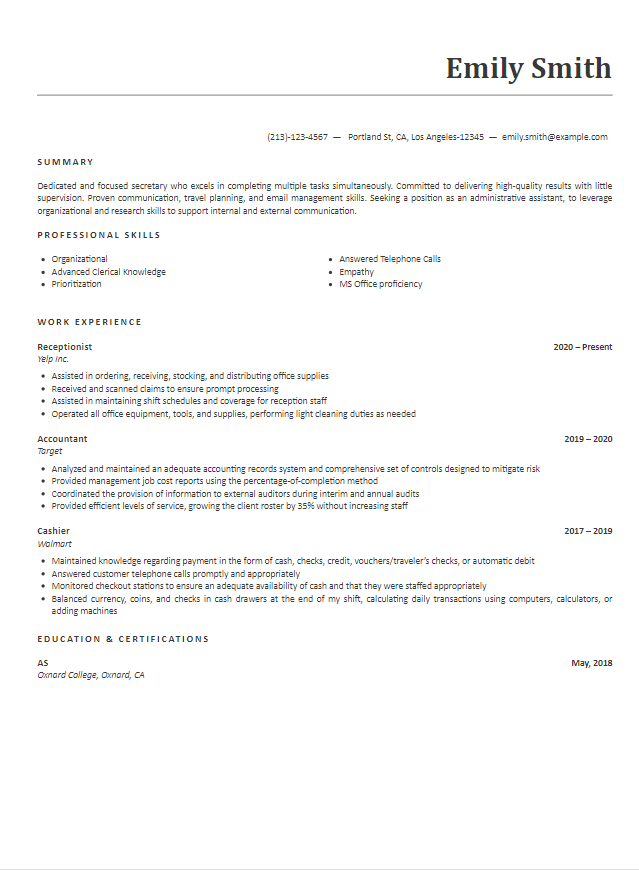
Yellowstone
Yellowstone pairs a bright yellow name area with a dark sidebar. The main column keeps the summary and work history separate from contact details.
Choose it if: you want a clear layout with a strong color accent.
Build with Yellowstone →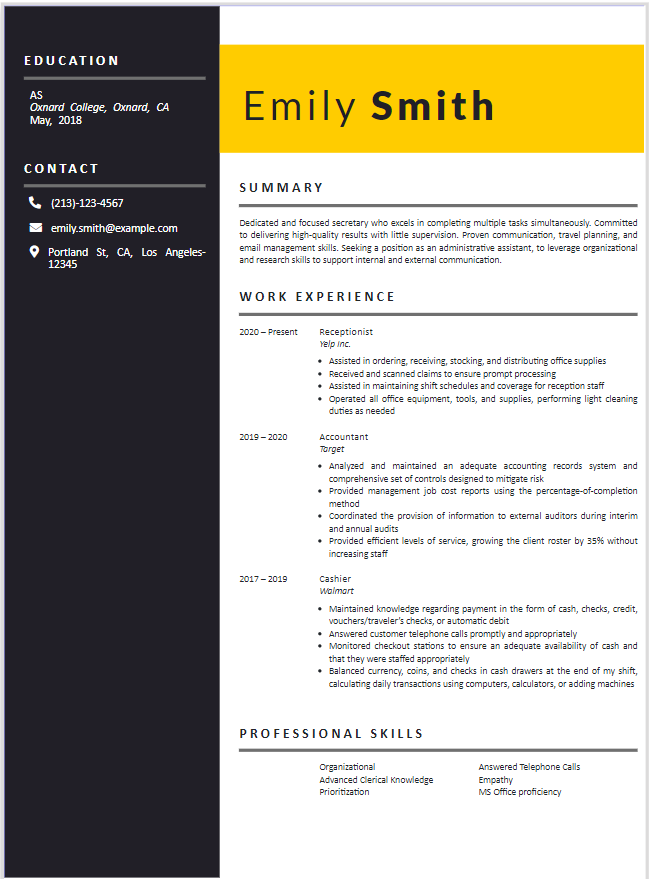
Cancer
Cancer uses fine lines and a light touch of color to separate sections. The page remains open and straightforward to scan.
Choose it if: you want subtle styling without a prominent sidebar.
Build with Cancer →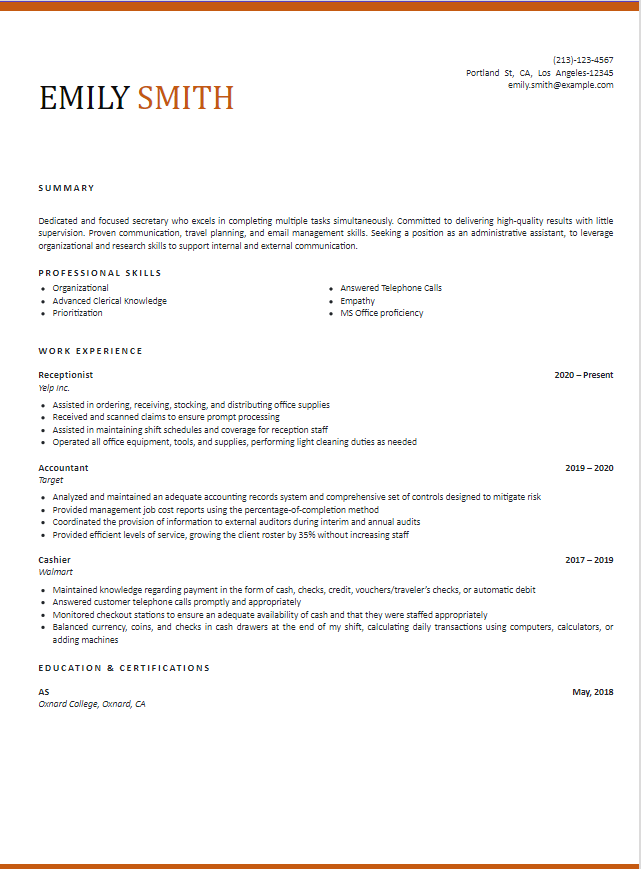
Fire
Fire uses a dark sidebar and vivid red accents. The contrast makes the name and section labels stand out.
Choose it if: you prefer one of the boldest designs in this collection.
Build with Fire →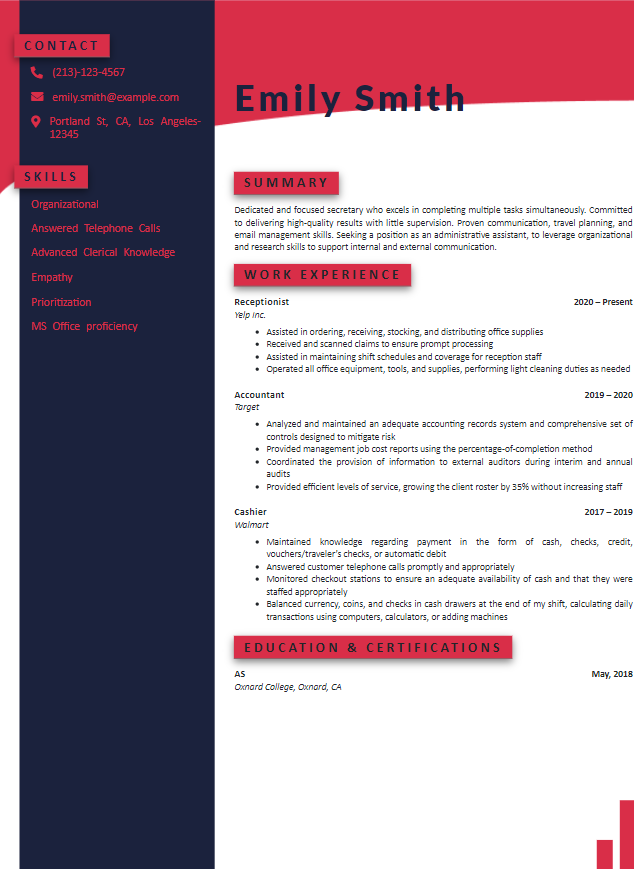
Paris
Paris gives supporting information its own sidebar while leaving a larger column for your experience. Its visual structure makes the two areas easy to tell apart.
Choose it if: you like a defined two-column layout.
Build with Paris →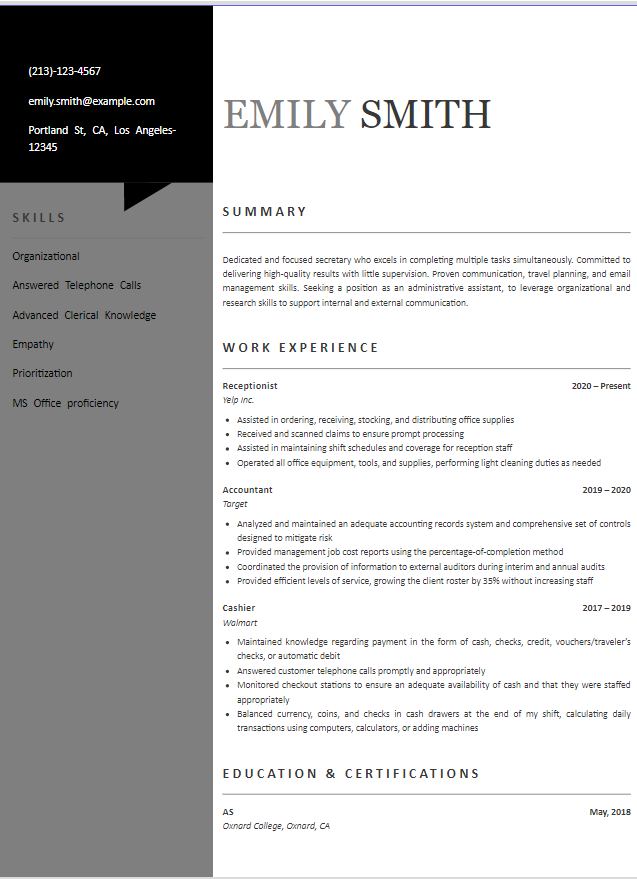
Vienna
Vienna uses a distinct color treatment to frame the page and separate key details from the main resume content.
Choose it if: you want color and a structured layout together.
Build with Vienna →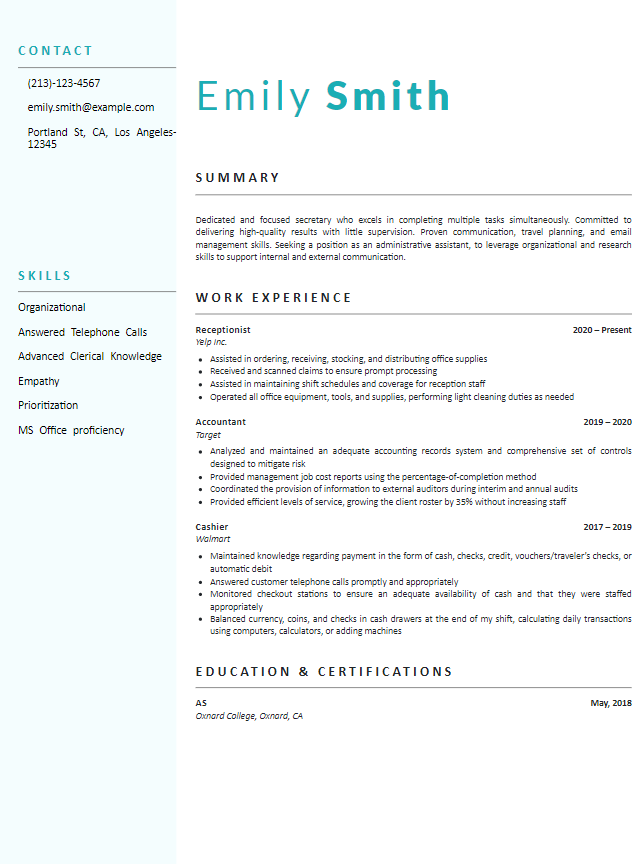
Cabrillo
Cabrillo organizes details into distinct areas so the reader can move between your profile, experience, and supporting information.
Choose it if: you want more visual separation between sections.
Build with Cabrillo →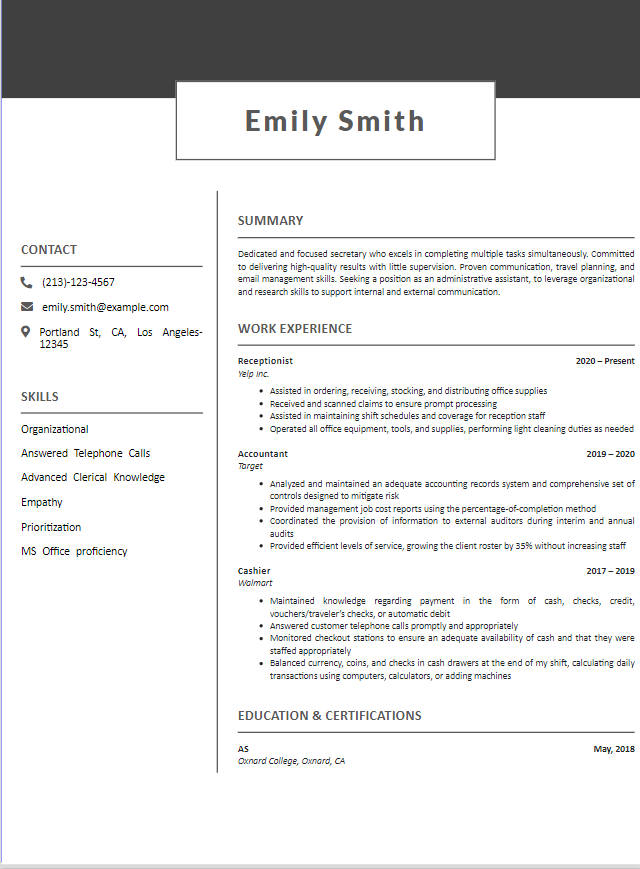
Dublin
Dublin brings stronger visual accents to a structured resume page, making the main sections easy to distinguish.
Choose it if: you prefer a more expressive modern design.
Build with Dublin →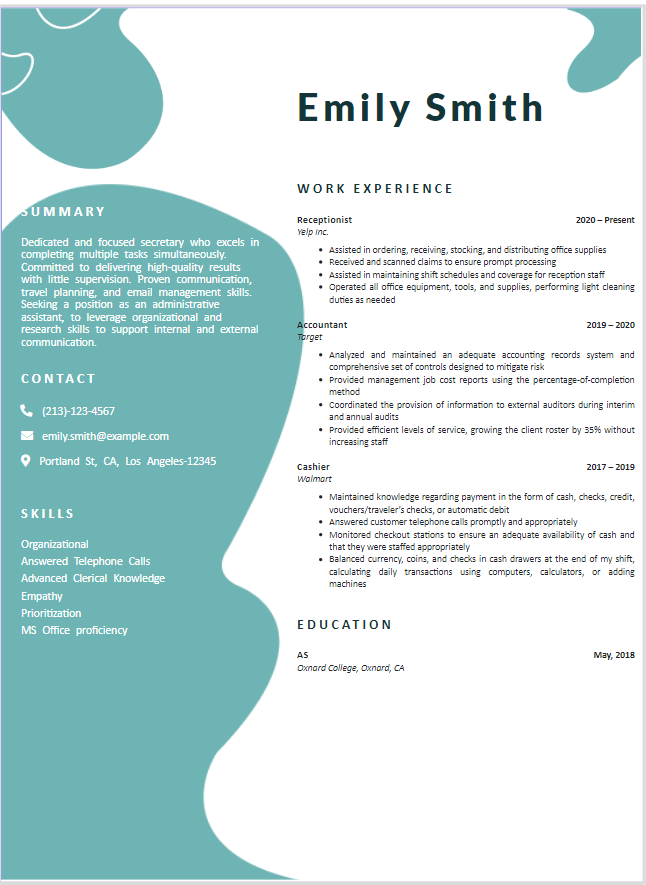
Which Modern Resume Template Should You Choose?
Start with how much information you need to fit on the page, then decide how much color you want.
Have a detailed work history?
Start with Pacific or Cancer. Their quieter layouts give your experience room without making color the focus.
Want a separate space for supporting details?
Compare Yellowstone, Paris, Vienna, and Cabrillo. Check the full previews to see which arrangement works best for your contact details, skills, and experience.
Prefer a stronger visual style?
Look at Fire and Dublin. Their accents stand out more, so check that your experience remains easy to read in the complete preview.
If you’re applying for a design-focused role, you can also browse our creative resume templates by job.
None of these eight feel right? Compare the wider selection in our best resume templates collection.
How to Use a Modern Resume Template
The previews above help you compare designs. When you open the builder, choose the template you want to use there.
- Choose your design in the builder Find the template you liked in the gallery and select it to begin.
- Add your information Enter your experience, education, and skills. The builder also offers an option to import an existing PDF or Word resume.
- Review and download Read the finished resume carefully, correct any details, and choose the available download format you need.
Modern vs. Traditional Resume Templates
The main difference is the visual style, not the information your resume needs to contain.
Modern
Uses more variety in color, spacing, or section layout. Modern can still be understated: Pacific, for example, keeps the page simple.
Traditional
Usually uses a more restrained appearance and a familiar section layout. Choose it when you want the design to draw as little attention as possible.
You can compare more styles in our professional resume templates collection.
Read the modern vs. traditional resume guide for a fuller comparison.
Modern Resume Template FAQs
Are these modern resume templates ATS-friendly?
Yes. Our eight modern resume templates are designed to be 100% ATS-friendly. Add accurate details and relevant experience, and follow the employer’s instructions for the file you submit.
Can I change my template after I start my resume?
Yes. The resume builder says you can change your template later, so you can start with one design and compare another as you work.
Can I import a resume I already have?
Yes. The builder offers an option to import an existing resume in PDF or DOCX format. You can also choose to create a new resume.
Can I download my resume as a PDF or Word file?
The builder lists PDF and Microsoft Word among its download options. Check the job posting and use the file format the employer requests.